



Reloading with the Gun Techs : How To Use The RCBS Chargemaster Link
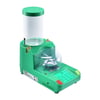
In this Brownells Tech Tip, Caleb takes a close look at the RCBS Chargemaster Link and explains why it is one of his favorite reloading scales on the market. More important, he shows how to actually use it. That includes setup, calibration, app pairing, powder loading, and dispensing charges.
For reloaders who want to move beyond a basic manual powder scale, the Chargemaster Link offers a strong balance of convenience, capability, and price. It gives you automatic powder dispensing and smartphone connectivity without stepping into the much higher price bracket of ultra-premium precision dispensers.
WHO THIS RELOADING SCALE IS FOR
One of the first things Caleb points out is that the RCBS Chargemaster Link fits a wide range of reloaders. It makes sense for someone just getting started, for a more experienced handloader upgrading old equipment, or for a shooter who wants to improve efficiency on the bench.
He also notes that while RCBS makes more advanced and more expensive units for extremely specialized loading, this model covers everything he needs for the kind of shooting he actually does, including long-range work. That makes the Chargemaster Link a practical option for most reloaders who want reliable automated powder charging without overspending.
POWDER SELECTION AND LOAD DATA MATTERS
Before getting into the machine itself, Caleb spends some time on an important point: powder selection and safe load data. For the demonstration, he uses Hodgdon Varget, a powder that works well across a range of popular rifle cartridges including .308, .223, and .22-250.
The key lesson here is simple. Before you ever set a charge weight, you need reliable load data for the cartridge and bullet you are using. Caleb makes it clear that there is good data available online, but there is also bad data floating around forums and comment sections. He stresses the importance of using trusted published sources from powder manufacturers and other reputable reloading references.
That is an important part of using any reloading scale correctly. The machine can throw the charge you ask for, but it is still your job to make sure the charge itself is appropriate for the load.
WARM-UP TIME AND WHY IT MATTERS
Like many electronic precision instruments, the Chargemaster Link needs time to warm up before use. Caleb explains that this is one of the tradeoffs with an electronic dispensing scale. You cannot always walk up, turn it on, and start immediately.
He recommends plugging it in and giving it around 20 minutes to stabilize before and dispensing powder. In practical terms, that is easy enough to work around. Turn the unit on first, then spend that time gathering components, organizing the bench, or getting coffee. By the time everything else is ready, the scale is ready too.
This is one of those setup habits that pays off in better consistency and less frustration.
LEVELING THE RCBS CHARGEMASTER LINK
Before calibration starts, Caleb shows one of the most overlooked parts of setting up a reloading scale: leveling the unit. The Chargemaster Link has a bubble level built into the top, along with adjustable feet on the corners.
If the scale is not sitting solidly and level on the bench, it can create issues during use. Caleb demonstrates adjusting the feet until the wobble is gone and the machine sits firmly in place. He also notes that the unit can give you errors if it gets moved out of level after setup.
That makes leveling one of the first things to check whenever you move the scale or change benches.
PAIRING THE CHARGEMASTER LINK TO THE APP
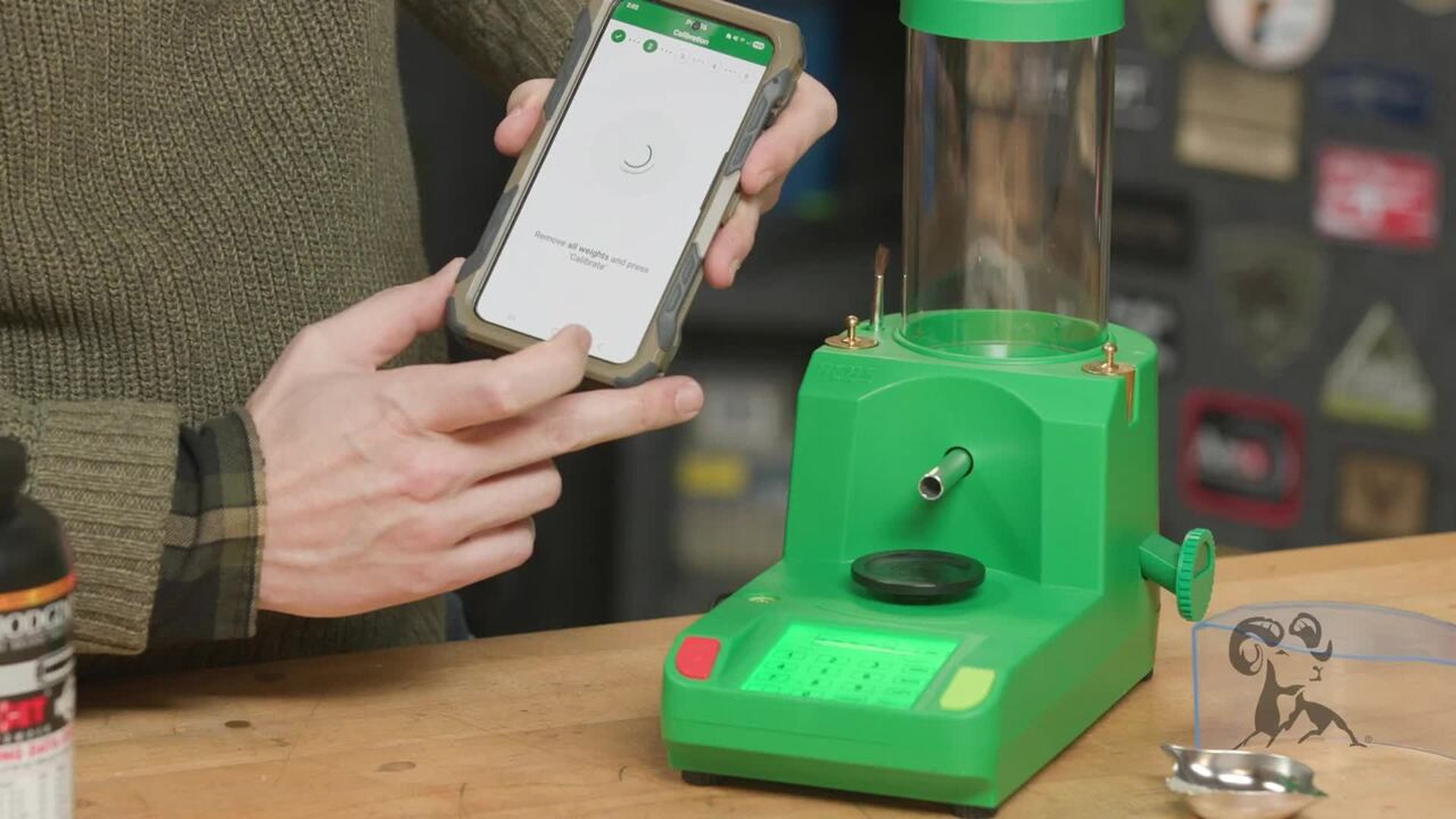
One of the features that sets the Chargemaster Link apart is the Bluetooth app connection. Caleb explains that you can still run everything from the controls on the machine itself, but the app makes the process even easier.
After downloading the RCBS app, you pair the unit through the device menu. The scale may not appear under a very obvious name, so it is worth paying attention during the pairing process. Once connected, the app can guide you through calibration, charge settings, and dispensing.
That phone connection is one of the main reasons Caleb reaches for this version more often than some of the older Chargemaster units. It adds convenience without making the system complicated.
HOW TO CALIBRATE THE SCALE
Calibrating the Chargemaster Link is a straightforward process, and Caleb shows it both from the scale itself and through the app. The unit comes with two 50-gram calibration weights, which are used in sequence.
The basic process is simple. Remove the powder pan, zero the unit, place one 50-gram weight on the scale, then both weights together for 100 grams, following the prompts as you go. Once that sequence is complete, remove the weights, replace the powder pan, and zero the unit again.
Caleb points out that the app walks the user through the process in a very simple way, which makes it approachable even for someone new to electronic scales. Once calibrated, the unit is ready to start dispensing powder.
ADDING POWDER TO THE HOPPER
With calibration complete, the next step is filling the hopper. Caleb demonstrates this with Varget and offers one tip that will save a lot of headaches: make sure the drain is closed before pouring powder into the dispenser.
That sounds obvious, but it is exactly the kind of mistake that is easy to make when you are distracted. He also mentions another good habit. If powder is going to stay in the unit for any amount of time, label the hopper with the powder name using a piece of tape. That way there is no confusion later about what is inside.
It is a simple bench practice, but it helps prevent mix-ups and keeps the process organized.
SETTING CHARGE WEIGHT AND DISPENSE MODE
Once the powder is loaded, the Chargemaster Link is ready to throw charges. Caleb uses published load data from the front of the powder bottle for demonstration purposes and enters a charge weight of 27.5 grains.
The unit lets you choose between manual mode and auto mode. In manual mode, you start each charge yourself. In auto mode, the machine automatically throws the next charge as soon as the powder pan is returned and the scale stabilizes.
For higher-volume loading, Caleb clearly prefers auto mode. It removes an extra button press from every cycle and keeps the process moving. If you are loading a batch of ammunition, that small efficiency gain adds up quickly.
HOW THE DISPENSING PROCESS WORKS
Once the charge weight is entered and dispensing begins, the Chargemaster Link starts feeding powder into the pan. Caleb shows how the machine speeds up early in the throw and then slows down as it approaches the target weight.
That is one of the main advantages of an automatic powder dispenser. It is doing the careful metering for you, and it is doing it to a very fine resolution. In the demonstration, the unit reaches the 27.5-grain target cleanly, ready for the powder to be transferred into a case.
He then shows the auto-dispense feature in action. After the pan is removed, emptied, and placed back on the scale, the machine automatically starts the next charge. For repetitive loading tasks, that makes the whole process much smoother.
STORING LOADS IN THE APP
Another useful feature Caleb mentions is the ability to store load information in the RCBS app. That means you can save your preferred settings and come back to them later without entering everything again from scratch.
He also adds a bench-side reality check that fits the Brownells Tech Tip style perfectly: even if the app stores the load, it is still smart to write things down in a notebook. Digital storage is convenient, but good records still matter in reloading.
That combination of app-based convenience and traditional note-taking is a practical approach for anyone serious about consistency.
WHY THE RCBS CHARGEMASTER LINK STANDS OUT
By the end of the video, Caleb makes it clear why this tool gets so much use on his bench. The Chargemaster Link is compact, easy to use, simple to calibrate, and flexible enough for a wide range of cartridges and shooting applications.
It is not the most expensive or most specialized automatic powder scale available, but that is exactly the point. For a lot of reloaders, it hits the sweet spot. It gives you the benefits of electronic automated dispensing, app control, and bench efficiency without pushing into a price tier many shooters do not need.
FINAL THOUGHTS ON THE CHARGEMASTER LINK
If you are looking for an automatic powder dispenser that is easy to learn and easy to live with, the RCBS Chargemaster Link is a strong option. Caleb’s walkthrough shows that the process is not complicated once you understand the order of operations: warm it up, level it, calibrate it, fill it, set the charge, and start loading.
For new reloaders, that makes the tool less intimidating. For experienced handloaders, it offers a faster and more convenient workflow. Either way, the Chargemaster Link delivers the kind of performance and usability that makes it easy to keep reaching for on the loading bench.