Verify with ID.me
Verify with ID.me while creating a Brownells.com account or within your existing account to unlock your discount. Exclusions apply.
If you have been verified and are already receiving the discounted pricing, no action is required.
What is ID.me?
ID.me is the next-generation digital identity wallet that simplifies how individuals securely prove their identity online. Verify your status to take advantage of exclusive discounts and other benefits. To learn more, visit ID.me.
What is the discount?
Discounts vary by brand and product, but prices are generally lower than our everyday prices.
Who qualifies for the discount?
First Responders (EMT, Fire, Law Enforcement - active & retired) and Military (Active duty, National Guard, Reserves, Veterans, Retirees, Military Spouses & Surviving Spouses.
Need help verifying with ID.me?
Visit the ID.me Help Center for step-by-step instructions and troubleshooting tips.
Process for Verifying with ID.me
Account Creation
While creating your new account, if you are a First Responder, Military, or Veteran, selecting Valor Individual will send you through the ID.me process to receive your discounted pricing.
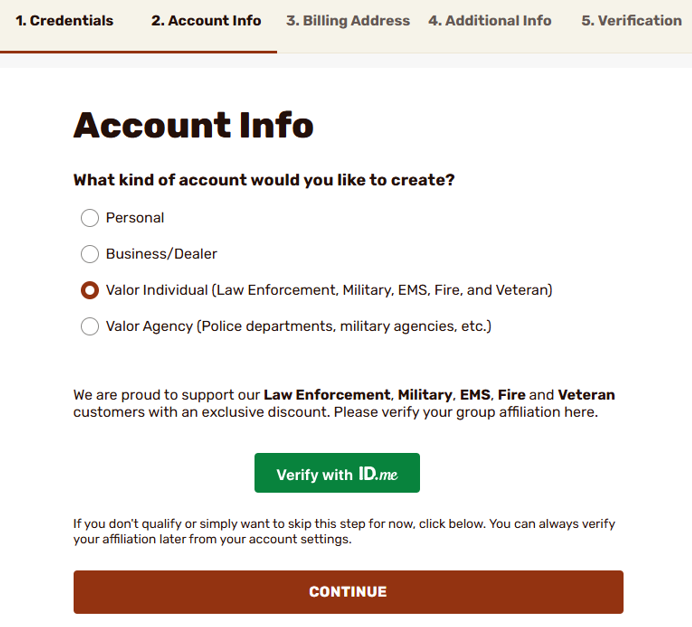
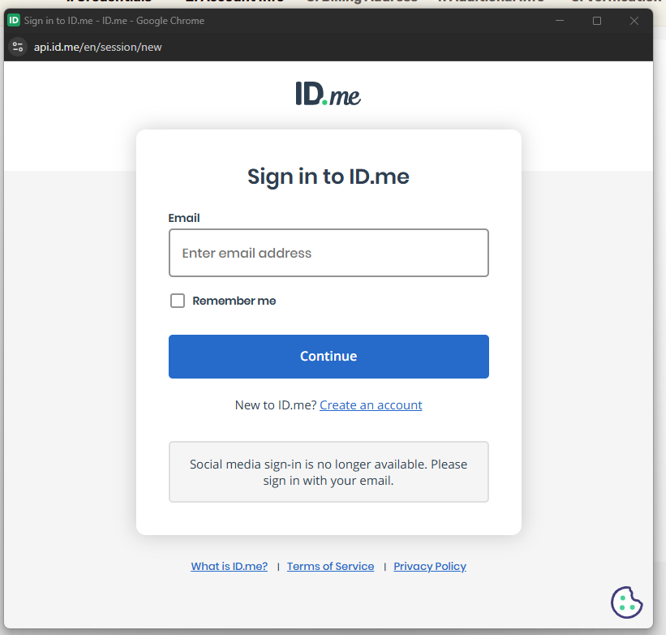
Clicking on the green Verify with ID.me button will display a pop-up from ID.me.
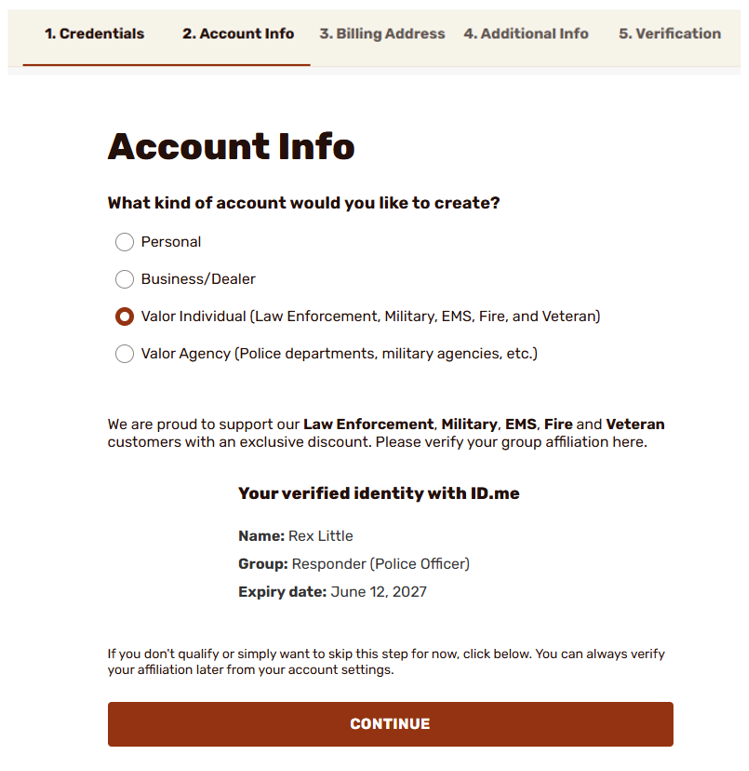
Once the process is complete within ID.me you will return to Brownells to complete the account creation process and see your information.
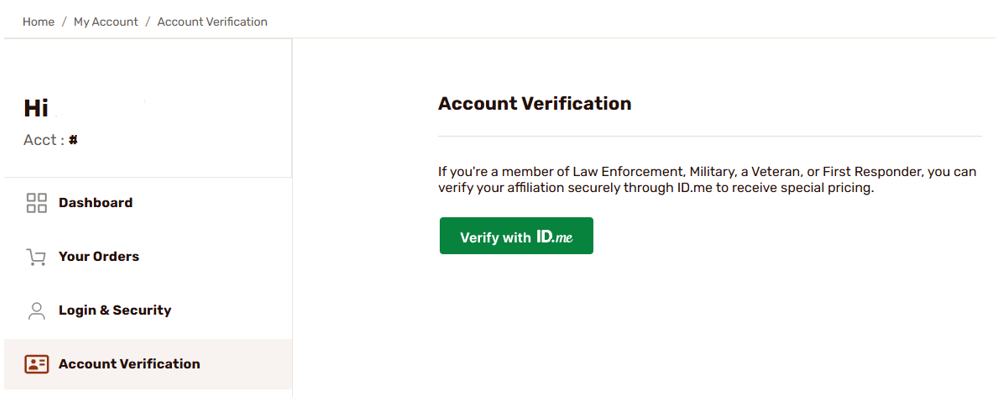
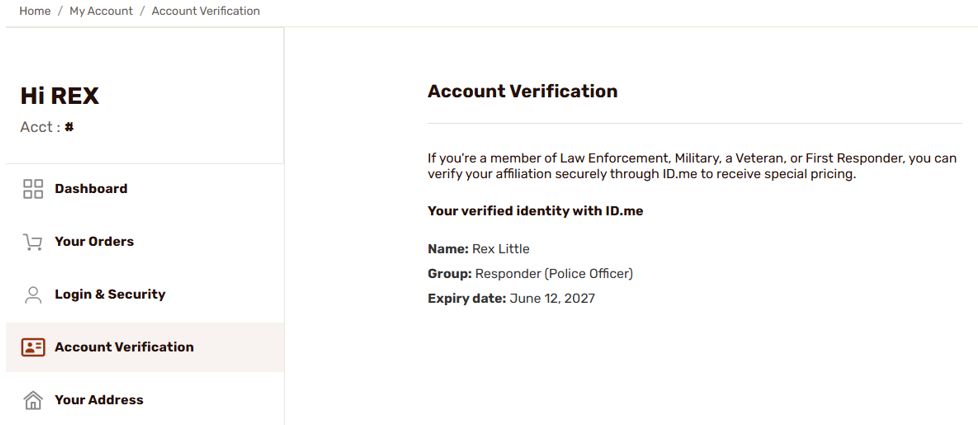
After completing the account creation process you will see a section within your account called Account Verification that displays your ID.me information. Your account will receive this discount for 18 months. One month before expiration, the Verify me with ID.me button will display here to be reverified. Military customers are not required to complete the reverification process, as this discount does not expire.
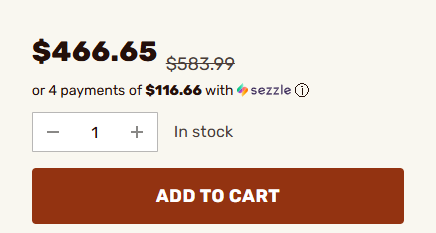
Products will display the discounted price near the add to cart button, with the original price crossed out.
Updating an existing account with ID.me
If you already have a non-verified Brownells account and would like to update it with ID.me to receive special pricing, you may log into your Brownells account and visit the My Account section. There you will see the Account Verification section where you can complete the ID.Me process by clicking on the green button and following the prompts.